AI chat that knows your documents
and helps get the work done
MiWork Agents is an enterprise AI chat and task workspace using authorized internal documents. Find evidence, get answers and create deliverables within your permissions. Talk with AI by voice, and call teammates by voice or video.
Enterprise AI chat grounded in internal documents
Internal documents live on file servers, team conversations in messengers and AI chats in personal accounts. MiWork Agents brings them into one workspace with access controls.
Turn accumulated sources into connected knowledge
Enable ontology generation in a knowledge base to have AI organize uploaded sources into topic-based wiki pages and link relationships between them.
- 01Organized by topic, kept up to dateAdded or changed files update related pages while originals remain intact.
- 02Trace evidence back to the sourceExplanations link to source citations and distinguish extracted material from interpretation.
- 03Preserve human editsIf an automatic update overlaps with a manual edit, it is flagged for review rather than overwritten.
- 04Ground AI answers in knowledgeAI searches both originals and wikis, with knowledge base permissions also applied to the wiki.
Continue at your desk or on the move
Pick up conversations from your browser or desktop app on your phone. Get notified when AI tasks finish or new messages arrive.
- WINDOWSGet it from Microsoft Store
- IPHONE · MACDownload on the App Store
- ANDROIDGet it on Google Play
Apps connect to your company's workspace address. Your company manages the accounts and business data.
From organizational knowledge to real work
Start with these workflows
- Internal policies and manualsSearch policies and manuals and answer with source documents.
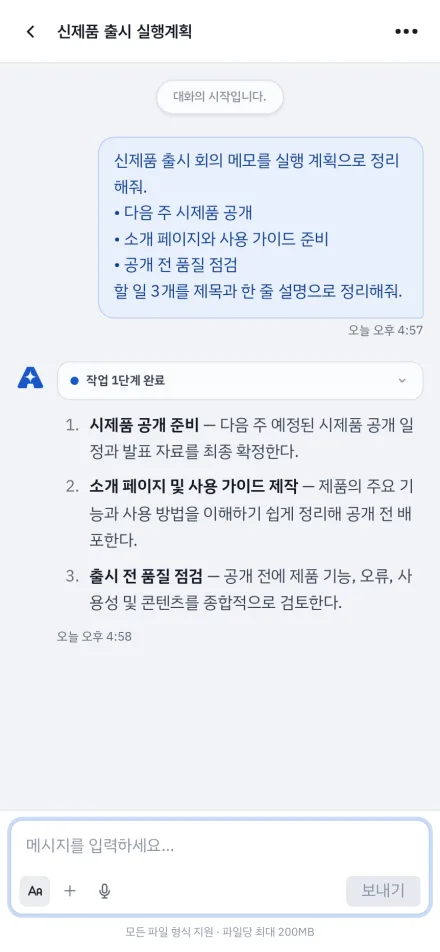
- Reports and documentsAttach sources and request summaries, comparisons and drafts.
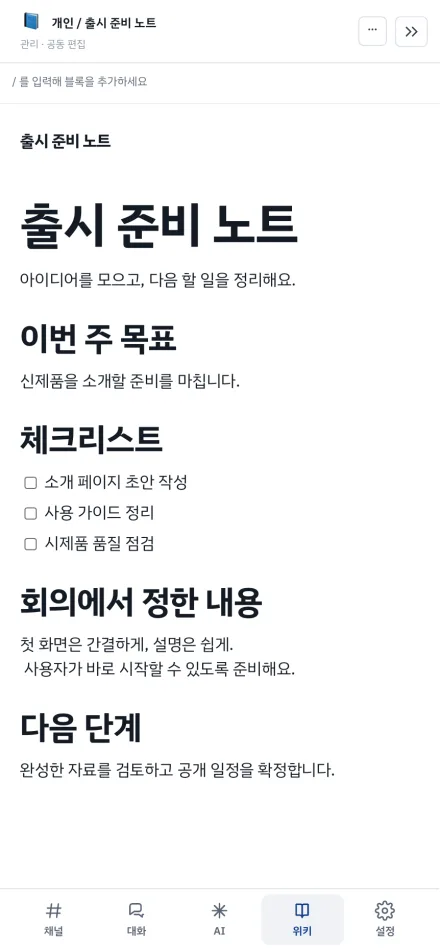
- Team knowledge sharingOrganize accumulated sources into topic-based wikis for the team to refine.
- Department agentsCombine team knowledge and instructions for the people who need them.
- Recurring and web tasksSchedule regular reports and handle web tasks together in the agent browser.
AI your organization can govern
Supported document formats
Preview and text recognition support vary by format and operating environment.Frequently asked questions
Can I use HWP/HWPX and scanned documents?+
HWP/HWPX processing and OCR integration for scanned documents are supported. Preview, extraction and editing capabilities vary by file format and configuration, so we check your documents before deployment.
Can it run on an air-gapped network?+
On-premises deployment is not the same as fully air-gapped operation. We determine support after checking internal AI models, OCR configuration, external tool connections and installation package requirements.
Can I manage usage and costs by team and user?+
You can manage usage, costs and budgets by user and apply policies to team scopes. Aggregate team budgets and blocking rules should be confirmed against your requirements during deployment planning.
Can I use AI chat grounded in internal documents?+
One workspace brings together chat, authorized internal knowledge search, deliverable creation, tasks using the browser and connected tools, team channels and wikis. Organizations can centrally operate models, usage, team permissions and execution environments.
Can I verify an answer's sources?+
Answers link to the source documents used, so you can open and check the originals. This does not guarantee the accuracy of every AI answer.
How is an ontology wiki created?+
When ontology generation is enabled in a knowledge base, AI reads uploaded sources and creates topic-based wiki pages and relationships. Original files and manual edits are preserved. Citations let you verify the material, but do not guarantee interpretation accuracy. Review important content alongside the originals.
Can I separate personal and team data?+
Personal working files and team knowledge bases are separate, with read and write permissions by user and team. Wikis also offer private personal pages and shared pages.
Can I create task-specific agents?+
Create shared agents with one or more knowledge bases and instructions. Set access for specific teams and users, all signed-in users or the public, and optionally embed them on external websites. Public and all-signed-in-user access requires administrator approval; until then, only the specified teams and users can use the agent.
Can I follow AI tasks on websites?+
The agent browser lets you follow the same screen as AI. Take manual control for steps such as login, then let AI resume. It does not bypass external services' login policies or security checks.
Which AI models can I use?+
Administrators register the organization's AI models, and users select a model for each conversation. Available models depend on the deployment and are confirmed during planning.
Can I talk to AI by voice?+
Yes. Voice conversation can automatically send speech as messages and read replies aloud. Channels also support spoken messages and reading new messages. A browser with speech recognition and microphone permission is required. Voice/video calls and screen sharing with teammates take place in channels.
Can I make channel calls or invite external collaborators?+
Channels support voice/video calls and screen sharing when calling is configured for your deployment. Meeting recording is off by default. External collaborators join as guests and can access only the channels they are invited to. Invitations can have an expiry date.
Can I connect external business tools?+
Connect Microsoft 365 email, calendars and contacts, and Telegram. Connectors can add internal systems and external services. Available connections and configuration requirements are reviewed for your environment.
Are desktop and mobile apps available?+
Windows is available from Microsoft Store, iPhone and Mac from the App Store, and Android from Google Play. Apps connect to your company's MiWork Agents workspace address. You can also use a web browser.
Can it be deployed in both the cloud and on-premises?+
Yes. It can be deployed in the cloud or on your company's internal servers. We advise on server requirements and configuration for your environment.
AI chat for cloud and on-premises environments
Deploy to meet your security policies and operating environment. Together, we define data location, models, document processing and external integrations.
Start connecting your knowledge and workflows.
See how AI can go beyond answers to understand documents and create deliverables in your own operating environment.